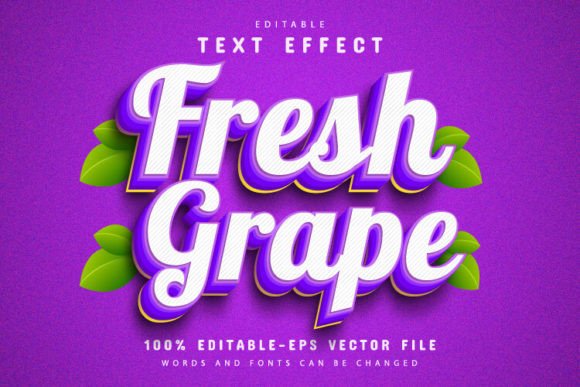
Fresh Grape Fruit 3D Text Effect: Vibrant Vector Design
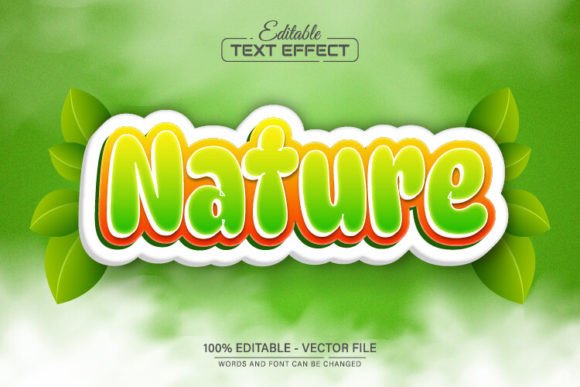
When you need a design element that instantly communicates energy and fun, the Fresh Grape Fruit 3D Text Effect is a standout choice. This isn't just a static image; it's a fully editable vector design built in Adobe Illustrator. The core appeal lies in its striking 3D appearance, which mimics the juicy, segmented look of a grapefruit slice. Each character feels tactile and vibrant, with a depth that draws the eye. The style is playful yet polished, making it perfect for projects that need to grab attention without looking cheap or overly cartoonish. It strikes a balance between modern typography and illustrative flair.
Where This Creative Font Effect Shines
The versatility of this asset is one of its greatest strengths. Because it's a vector, you can scale it to any size—from a tiny social media icon to a massive storefront banner—without losing a single bit of quality. This makes it a reliable part of your design assets toolkit. Consider using it for packaging design, especially for food products, summer beverages, or health-focused brands. It naturally evokes freshness and natural ingredients. For web design, it can create unforgettable hero sections for landing pages promoting sales, new product launches, or seasonal events.
Entrepreneurs and small business owners will find it invaluable for logo design or branding collateral. Imagine a juice bar, a tropical resort, or a children's party service using this effect for their name—it immediately sets a mood. Marketers and content creators can leverage it for eye-catching social media graphics, YouTube thumbnails, or blog post headers that need to stop the scroll. It’s also a fantastic choice for personal projects like custom T-shirts, party invitations, or craft projects where a bold, creative font effect is needed.
Practical Guidance for Using Your Vector Text Effect
Working with this file is straightforward, even if you're not a seasoned designer. The package includes both EPS and JPG formats. The JPG is great for a quick preview, but the real power is in the EPS vector file. To edit the text, you’ll need Adobe Illustrator CS or a newer version. Once you open the file, simply press the 'T' key to activate the Type Tool and click on the existing text. From there, you can delete the placeholder and type your own words. The 3D text effect will automatically apply to your new text.
A key feature is the ability to change colors unlimitedly. Within Illustrator, you can select different parts of the text or its shadow layers to modify hues, allowing you to match the effect precisely to your brand identity or project color scheme. This level of customization ensures the asset feels integrated, not pasted on. For the best results, pair this bold display font with simpler, cleaner typefaces for body copy. A neutral sans serif font or a straightforward serif font for paragraphs will let the grapefruit effect remain the star without overwhelming the viewer.
Maximizing Impact and Readability
While this effect is visually powerful, context is everything. It’s a display font style, meaning it’s designed for headlines, logos, and short bursts of text—not for entire paragraphs. Using it for long sentences would hurt readability. Instead, use it for key words or a short title to create a strong visual hierarchy. Its personality is best suited for audiences that respond to vibrancy and playfulness. It can significantly boost audience engagement for the right campaign, making your message feel more approachable and energetic.
When evaluating if this is the right fit for your project, consider the overall tone. It communicates a modern, fresh, and slightly whimsical vibe. If your brand is ultra-serious, corporate, or minimalist, this might not align. However, for most creative, lifestyle, food, or youth-oriented projects, it’s a fantastic premium font asset that adds instant character. Always test it with your specific text and color palette before finalizing. The included font information points to free fonts, making it easier to maintain consistency across other parts of your design if needed.